WhatsApp Redesign
Project Overview
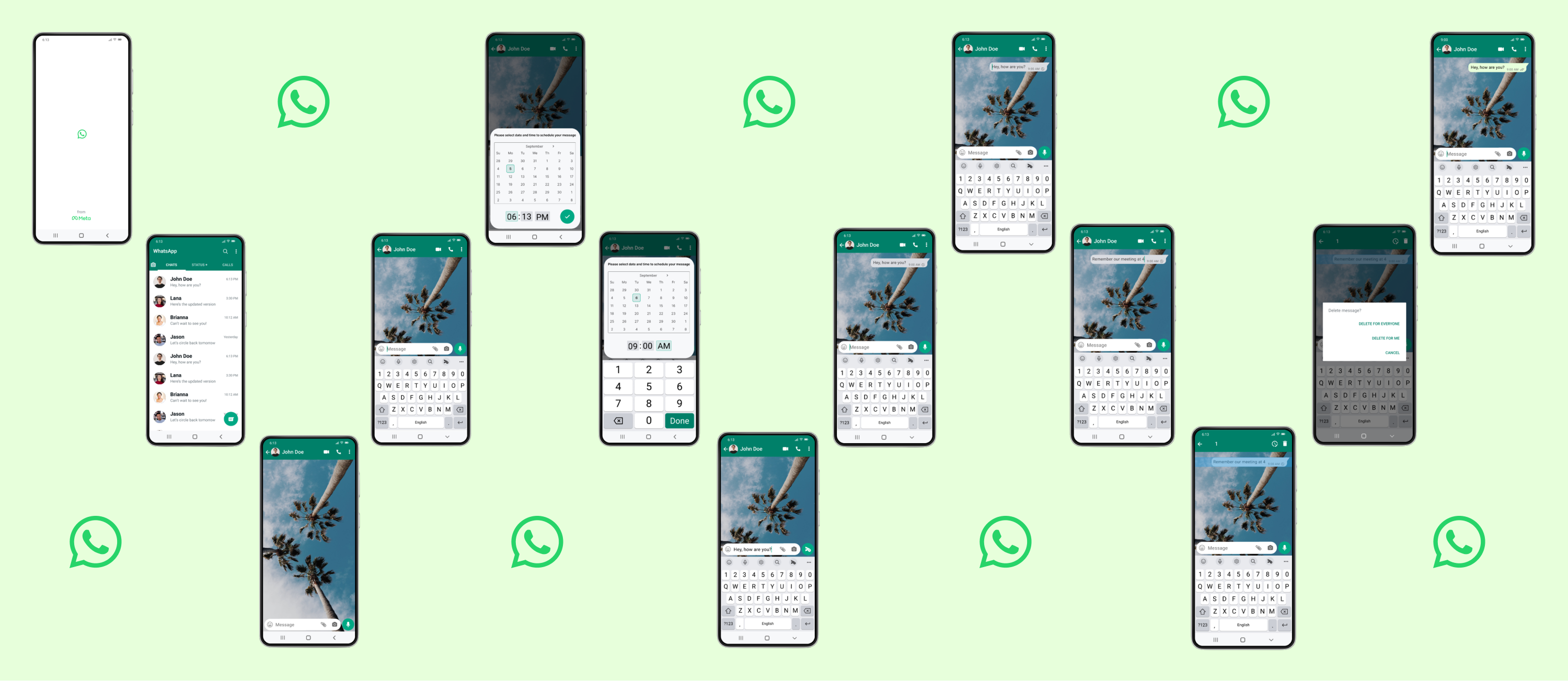
I've been wanting the ability to schedule send messages on WhatsApp for awhile so I decided to create a prototype of this added feature. Throughout the years, technology has evolved to be more reliant on mobile use. I have experienced how helpful schedule send is on emails and I figured with Business Accounts becoming more prevalent on WhatsApp, it was high time to add the feature to the popular messaging app.
Creating a Design System
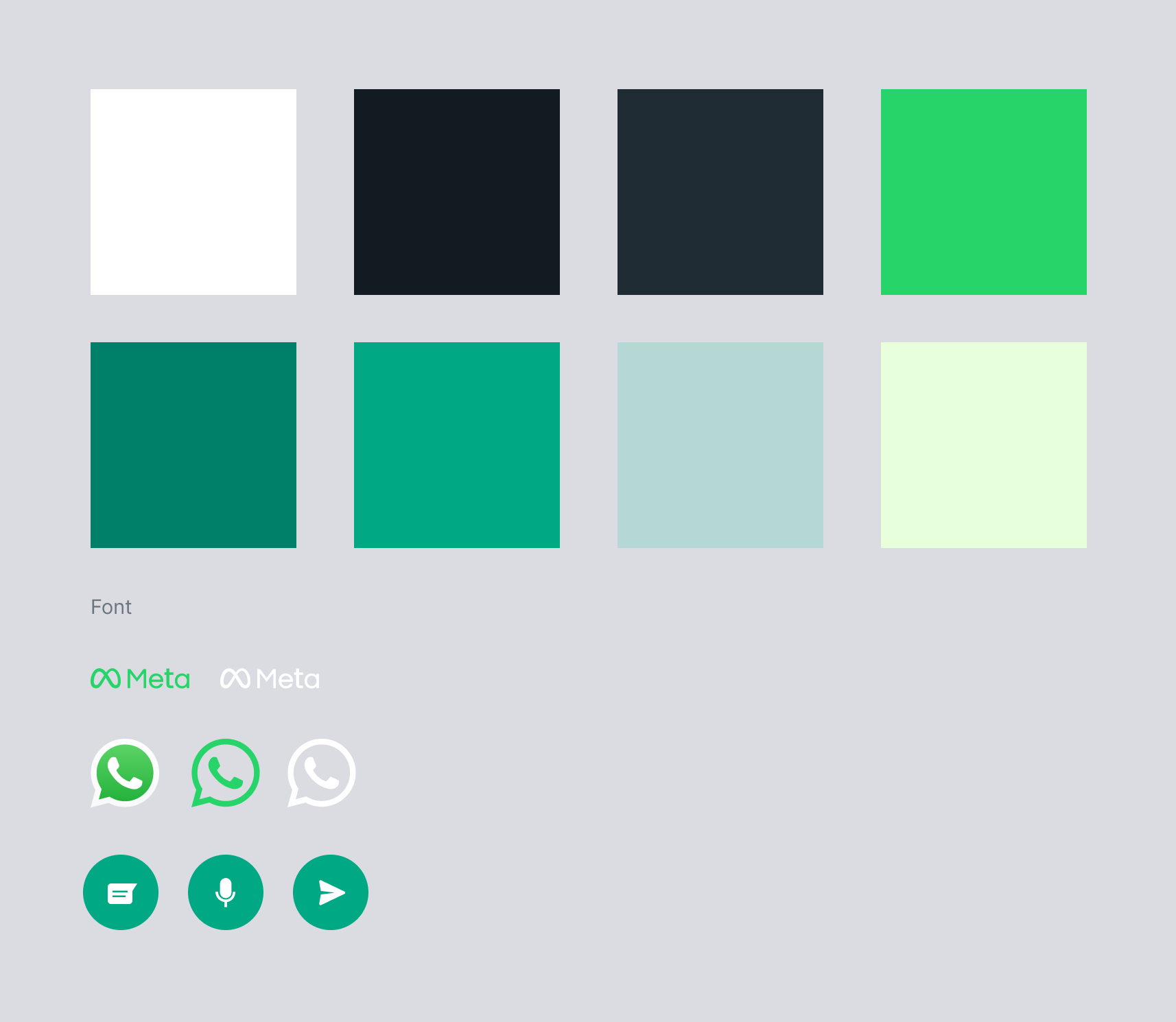
I began the design process by creating a design system for the application. This included theme colors, fonts, and common logos or icons. Aside from Design Systems being good practice for team projects as all team members have a common reference point, this foundation allowed me to design more efficiently.
Wireframing
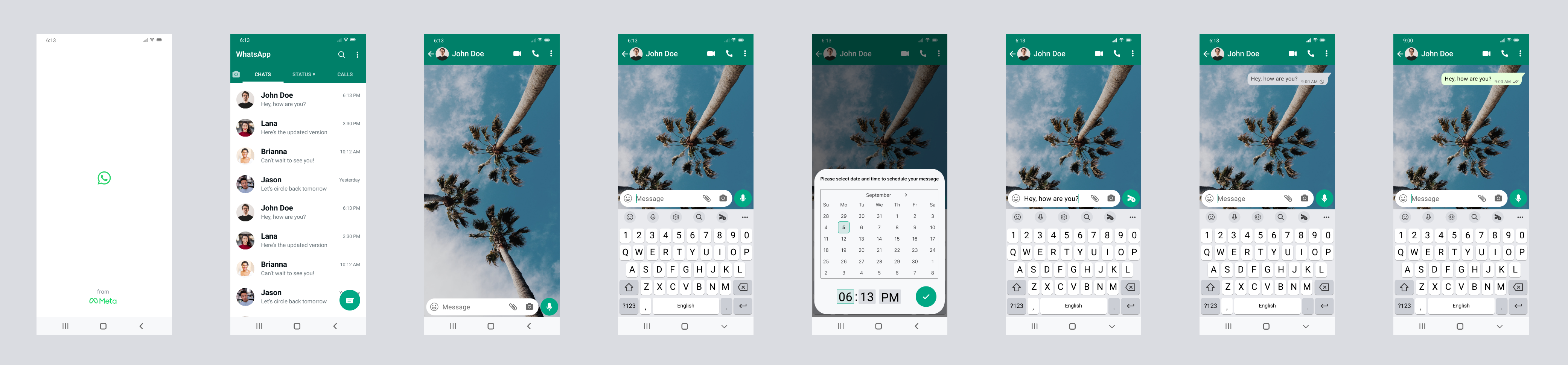
I quickly began drawing up the main design flow of Whatsapp keeping the schedule send feature in mind. I wanted to implement the new feature and also retain the feel of Whatsapp. After various iterations, building the schedule send icon into a long-press of the send button looked and performed the most seamless. After completing the main flow, I gathered some user feedback. Their responses propelled me to add the ability of editing and/or deleting a scheduled message.
Prototyping
Here is the final product! It took a week to complete this project and it felt rewarding to implement a feature to an app I use so often.
Opportunities
I revisited this project to explore additional features and improvements that could enhance the user experience. I also wanted to integrate AI into my workflow. Some UX shortfalls identified include
- Not being able to save multiple pictures easily.
- Greater accessibility with playing voicenotes.
- Disappearing messages should be user based and not affect all users in the chat.
I used v0 to prototype the new features as well as include the original schedule send feature. I found that using AI in my workflow allowed me to iterate faster and explore more ideas than I would have been able to on my own.